Sortable
Overview
Section titled “Overview”Sortable is a custom lookless ItemsControl (not a Selector, since the family has no “selected”
concept) that owns an ordered key list and drives two interaction models: the WAI-ARIA APG
“grab and move” keyboard reducer, implemented as pure C# logic, and native WPF pointer drag via
DragDrop.DoDragDrop. There is no built-in WPF reorderable-list control to derive from, so this is
a full Tier B custom control pair (NaviusSortable + NaviusSortableItem), with an optional
NaviusSortableItemHandle to scope pointer-drag start to a grip element.
xmlns:sortable="clr-namespace:Navius.Wpf.Primitives.Controls.Sortable;assembly=Navius.Wpf.Primitives"
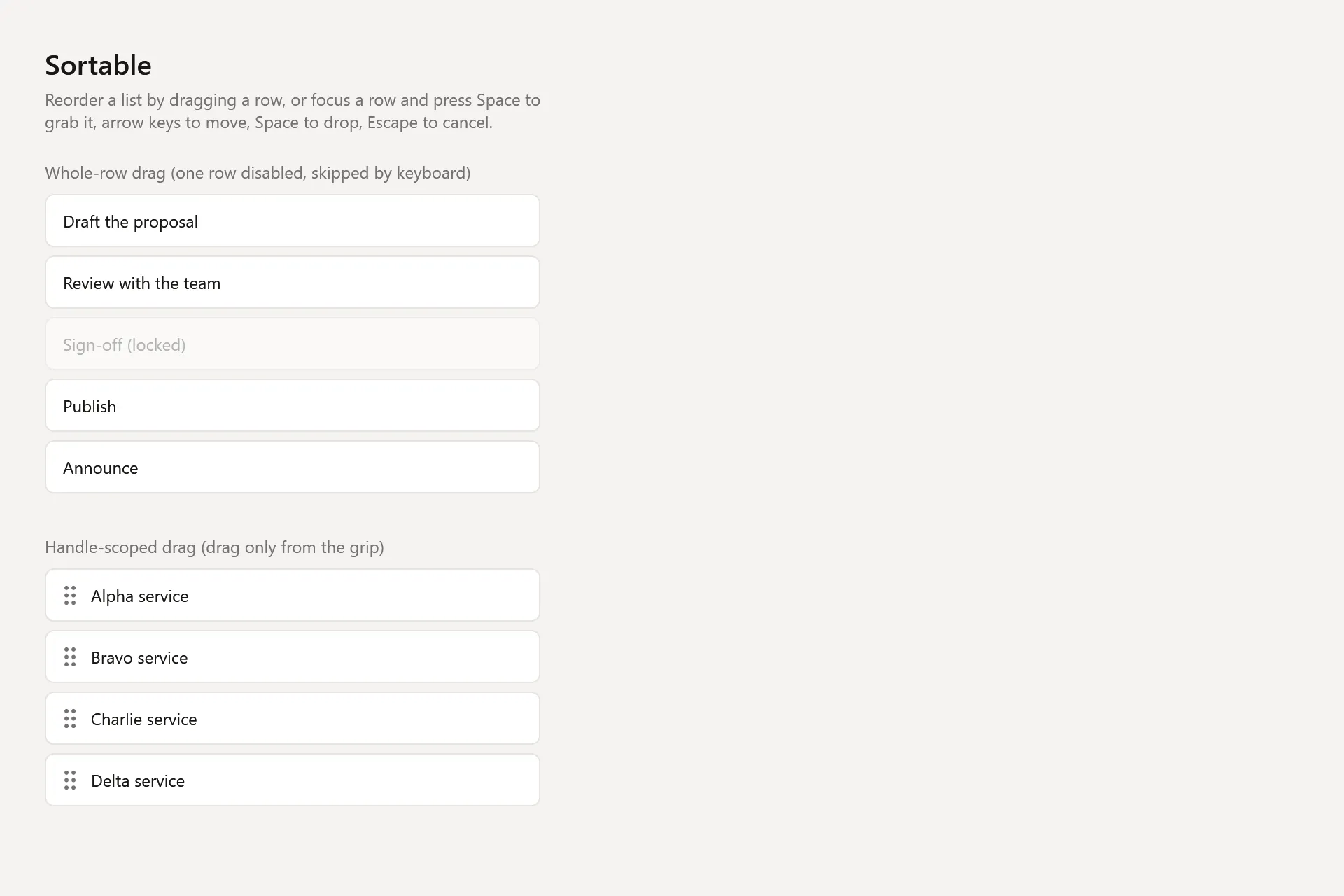
<sortable:NaviusSortable x:Name="List" Values="{Binding Order}">    <sortable:NaviusSortableItem Value="a" Label="Item A">        <StackPanel Orientation="Horizontal">            <sortable:NaviusSortableItemHandle Content="::" />            <TextBlock Text="Item A" />        </StackPanel>    </sortable:NaviusSortableItem>    <sortable:NaviusSortableItem Value="b" Label="Item B">        <TextBlock Text="Item B" />    </sortable:NaviusSortableItem></sortable:NaviusSortable>
Properties
Section titled “Properties”| Property | Type | Default | From | Description |
|---|---|---|---|---|
Values |
IReadOnlyList<string>? |
null |
NaviusSortable |
Ordered item keys, mirroring the live item-container order. Controlled: bindable both ways. |
DefaultValues |
IReadOnlyList<string>? |
null |
NaviusSortable |
Uncontrolled initial order, consulted once at Loaded when Values is unset. |
Orientation |
NaviusSortableOrientation |
Vertical |
NaviusSortable |
Vertical | Horizontal | Grid. Drives pointer-drag nearest-slot math only; keyboard navigation stays linear (next/prev) for every value. |
Disabled |
bool |
false |
NaviusSortable |
When true, both keyboard reorder and pointer drag are inert. |
IsDragging |
bool |
false |
NaviusSortable |
True while a pointer drag or keyboard grab is active. |
GrabbedKey |
string? (read-only) |
null |
NaviusSortable |
The key currently keyboard-grabbed, exposed mainly for tests. |
Value |
string |
string.Empty |
NaviusSortableItem |
Required stable key the owning NaviusSortable tracks order by. |
Label |
string? |
null |
NaviusSortableItem |
Accessible name used in UIA notification announcements; falls back to Value when unset. |
Disabled |
bool |
false |
NaviusSortableItem |
Per-item disabled: skipped by roving navigation, not a drag source. |
IsKeyboardGrabbed |
bool |
false |
NaviusSortableItem |
True while this item is keyboard-grabbed. Drives a Style trigger. |
IsDragging |
bool |
false |
NaviusSortableItem |
True while this item is the active pointer-drag source. |
IsDropTarget |
bool |
false |
NaviusSortableItem |
True while a pointer drag is hovering this item as its drop target. |
AccessibleLabel |
string (read-only) |
- |
NaviusSortableItem |
Explicit Label, or Value when unset. |
Methods
Section titled “Methods”| Method | Description |
|---|---|
HandleItemKey(NaviusSortableItem item, Key key) |
Routes one key for the focused item per the keyboard table below; returns whether it was consumed. Public (not internal) for direct unit-testability. |
Grab(NaviusSortableItem item) |
Grabs the focused item: records the order at grab time (for Escape restore and the drop’s OldIndex), sets GrabbedKey, announces via UIA notification. Returns false if it cannot grab. |
MoveGrabbed(SortableMove move) |
Moves the grabbed item one enabled slot (or to first/last). Fires ValuesChanged; never fires OnReorder. |
DropGrabbed() |
Commits the grab: clears grab state, fires OnReorder if the index actually changed versus the order at grab time. Named DropGrabbed (not Drop) to avoid hiding UIElement.Drop. |
CancelGrab() |
Cancels the grab: restores the order captured at grab time, fires ValuesChanged if the order changed as a result, never fires OnReorder. |
Events
Section titled “Events”| Event | Signature | Fires when |
|---|---|---|
ValuesChanged |
RoutedEventHandler |
Every committed order mutation: pointer drop, keyboard move, keyboard drop, or Escape restore that changed the order. |
OnReorder |
EventHandler<SortableReorderEventArgs> (OldIndex, NewIndex) |
Once per committed reorder (keyboard drop or pointer drop) when the moved item’s index actually changed. Intermediate keyboard moves do not fire this. |
Keyboard interactions
Section titled “Keyboard interactions”| Key | Behavior |
|---|---|
Space / Enter (not grabbing) |
Grab the focused item. |
ArrowDown / ArrowRight (not grabbing) |
Move roving focus to the next enabled item; ArrowRight mirrors to backward under FlowDirection.RightToLeft. |
ArrowUp / ArrowLeft (not grabbing) |
Move roving focus to the previous enabled item; ArrowLeft mirrors to forward under RTL. |
Home / End (not grabbing) |
Move roving focus to the first/last enabled item. |
Space / Enter (grabbing) |
Drop: commits the move, fires OnReorder if position changed. |
Escape (grabbing) |
Cancel: restores the original order captured at grab time, never fires OnReorder. |
ArrowDown / ArrowRight (grabbing) |
Move the grabbed item one enabled slot forward (RTL-mirrored for ArrowRight). |
ArrowUp / ArrowLeft (grabbing) |
Move the grabbed item one enabled slot backward (RTL-mirrored for ArrowLeft). |
Home / End (grabbing) |
Move the grabbed item to the first/last enabled slot. |
Disabled rows are skipped by roving navigation. Pointer drag (mouse) is handled separately via
native DragDrop.DoDragDrop, armed on PreviewMouseLeftButtonDown past the system’s minimum drag
distance; when a NaviusSortableItemHandle is present in an item, drag start is scoped to that
handle only. Cross-list transfer between separate NaviusSortable containers is out of scope: a
drop whose dragged item is not already in this control’s Items is ignored.
UIA mechanism
Section titled “UIA mechanism”NaviusSortableAutomationPeer reports AutomationControlType.List. Each realized
NaviusSortableItem returns a peer reporting AutomationControlType.ListItem with
GetLocalizedControlType returning “sortable item” (the contract’s aria-roledescription).
PositionInSet/SizeOfSet attached properties are pushed onto every item whenever the order or
count changes. NaviusSortableItemHandle’s peer returns false from IsControlElementCore() and
IsContentElementCore(), the UIA equivalent of aria-hidden, keeping the mouse-only handle out of
the assistive-tech tree. The contract’s visually-hidden role="status" aria-live="polite" announcer
is replaced entirely by AutomationPeer.RaiseNotificationEvent (the same swap the Toast family
makes): grab, move, drop, and cancel each raise a “Position N of M”-style notification string built
in C#; this requires Windows 10 1709+ and a listening assistive technology, and is a no-op
otherwise. The unit suite (tests/Navius.Wpf.Tests/SortableTests.cs, 44 test methods) exercises the
pure keyboard-reducer transitions, the control-level grab/move/drop/cancel paths against a real
NaviusSortable, roving-tabindex skip-disabled behavior, cross-list-transfer guarding, and the
automation-peer control types plus PositionInSet/SizeOfSet.
Web deltas
Section titled “Web deltas”- Announcements use
AutomationPeer.RaiseNotificationEventinstead of a visually-hiddenrole="status" aria-live="polite"div; the announcement strings stay English-only and hardcoded, matching the web contract’s own lack of localization. - Grid orientation’s pointer drop target is resolved by a single Euclidean nearest-item-center heuristic used for all three orientations (Vertical, Horizontal, Grid) rather than separate midpoint vs. 2D code paths; for Vertical/Horizontal the off-axis distance is near constant so the on-axis coordinate dominates in practice.
Dropwas namedDropGrabbedto avoid hidingUIElement.Drop(the native drag-drop routed event); other method names track the web contract’s verbs.- Drag visuals are trigger-driven (grabbed-row highlight, dragging-row opacity, drop-target
highlight via
IsDropTarget) rather than anAdornerLayerghost or insertion-line indicator; a bespoke drag adorner remains deferred. - Cross-list
Grouptransfer is not supported, matching the web contract, which also scopes the drag engine to a single container. - Sortable carries no UI virtualization: it is designed for small, fully-materialized reorderable lists (per-item drag/keyboard targets assume every row is realized), unlike DataGrid and Tree.
- Known residual (M6 audit): pointer-drag code paths (
OnDrop/OnDragOver/the nearest-index hit-test) have no automated test coverage, since they need a live, laid-out visual tree; only the keyboard paths are unit-tested. This is a coverage gap, not a known behavioral defect.
Captures
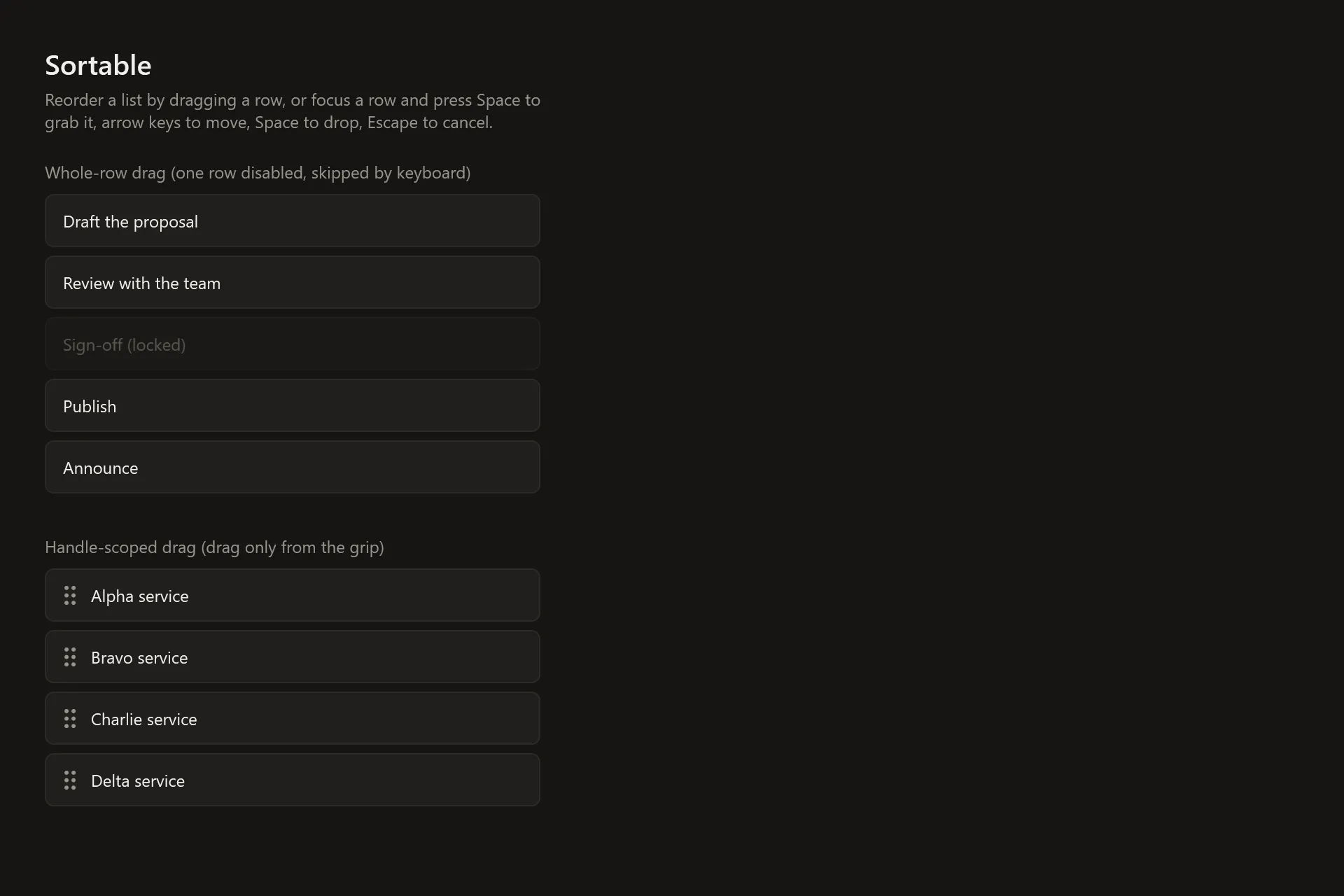
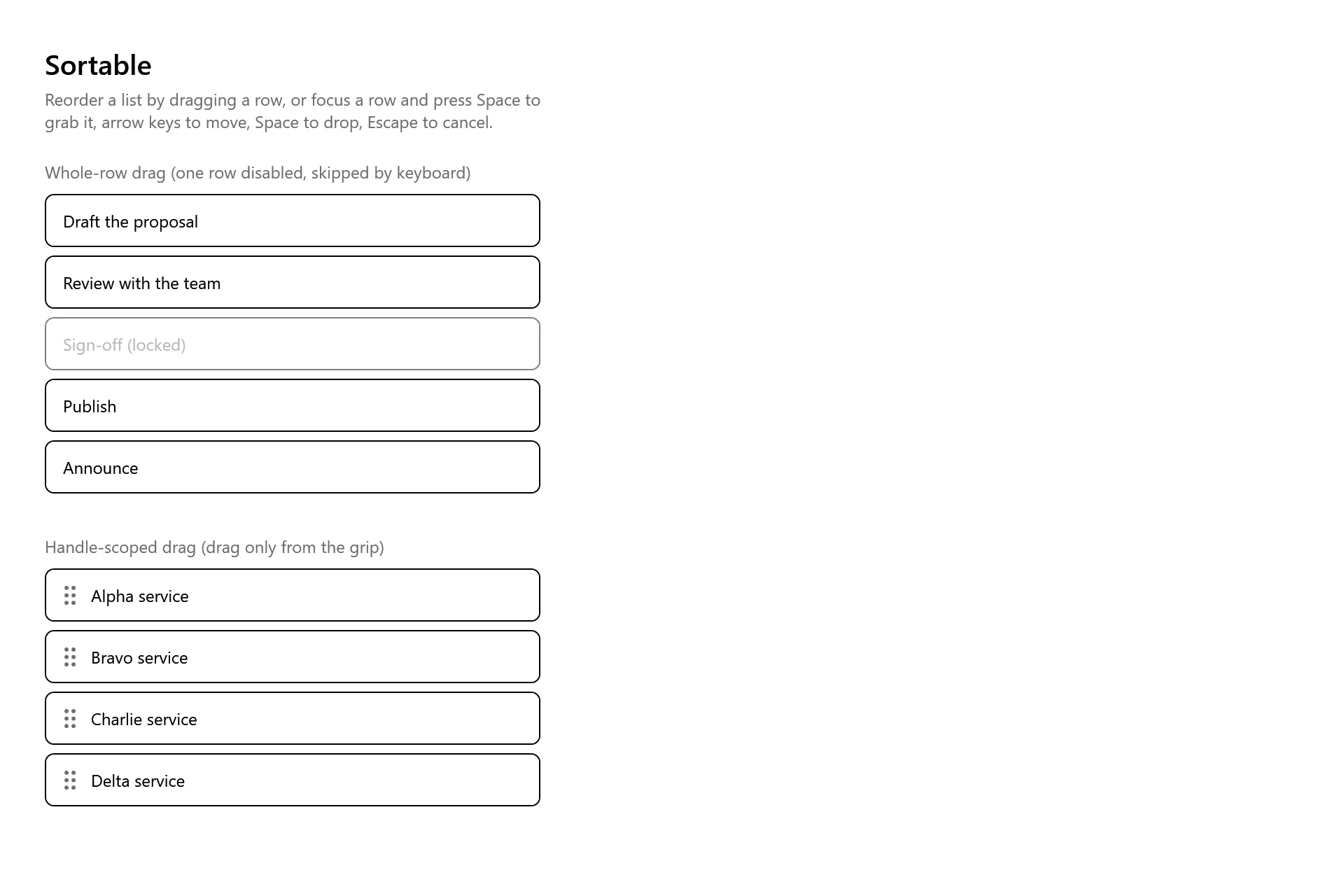
Section titled “Captures”The Sortable Gallery page rendered at the pinned commit, in each theme.