Tree
Overview
Section titled “Overview”Tree derives from the native System.Windows.Controls.TreeView for free virtualization
(VirtualizingStackPanel with Recycling at every nesting level) and native UIA
ExpandCollapsePattern mapping, then layers the full WAI-ARIA APG contract on top: fully custom
single- and multi-select tracking (native TreeView is single-select only), Ctrl/Shift range
selection, ltr/rtl-aware expand/collapse arrow keys, the * expand-siblings shortcut, and a
500ms-reset typeahead buffer. Only the data-driven composition mode is supported: a consumer sets
RootNodes to a hierarchy of NaviusTreeNode, and an implicit HierarchicalDataTemplate in
Themes/Tree.xaml recurses it.
xmlns:tree="clr-namespace:Navius.Wpf.Primitives.Controls.Tree;assembly=Navius.Wpf.Primitives"
<tree:NaviusTree x:Name="FileTree"                 SelectionMode="Multiple"                 RootNodes="{Binding Nodes}" />
var nodes = new List<NaviusTreeNode>{ new("src", "src", children: new[] { new NaviusTreeNode("src/App.cs", "App.cs"), new NaviusTreeNode("src/Program.cs", "Program.cs"), }),};FileTree.RootNodes = nodes;Properties
Section titled “Properties”| Property | Type | Default | From | Description |
|---|---|---|---|---|
RootNodes |
IReadOnlyList<NaviusTreeNode>? |
null |
NaviusTree |
The hierarchical data source. Setting it wires ItemsSource automatically; data-driven composition is the only supported mode. |
SelectionMode |
NaviusTreeSelectionMode |
Single |
NaviusTree |
None | Single | Multiple. Both modes route through the same custom selection tracking (see Web deltas), not native TreeView selection. |
SelectedValues |
IReadOnlyList<object> (read-only) |
- |
NaviusTree |
The full current selection. |
SelectedValue |
object? (read-only) |
null |
NaviusTree |
Convenience first-of-SelectedValues read, meaningful mainly in Single mode. Deliberately hides (new) TreeView.SelectedItem’s own SelectedValue, since selection is fully custom-tracked here. |
ActiveValue |
object? (read-only) |
null |
NaviusTree |
The roving-focus/active node’s value, mainly for tests. |
Value (on NaviusTreeNode) |
object |
- |
NaviusTreeNode |
The node’s unique identity, used for selection/expansion state tracking. |
Label (on NaviusTreeNode) |
string |
- |
NaviusTreeNode |
Display/typeahead-match label; overridable per node. |
Children (on NaviusTreeNode) |
IReadOnlyList<NaviusTreeNode>? |
null |
NaviusTreeNode |
Child nodes; null or empty means a leaf (never gets an expand affordance). |
Disabled (on NaviusTreeNode) |
bool |
false |
NaviusTreeNode |
Cannot be selected; skipped by keyboard navigation, typeahead, and select-all. |
Parent (on NaviusTreeNode) |
NaviusTreeNode? |
null |
NaviusTreeNode |
Set automatically from the constructor’s children list; null for root nodes. |
IsExpanded (on NaviusTreeNode) |
bool |
false |
NaviusTreeNode |
Two-way bound from the item container’s style; lives on the data node (not the container) so it survives virtualization recycling. Raises INotifyPropertyChanged. |
IsSelected (on NaviusTreeNode) |
bool |
false |
NaviusTreeNode |
Selection membership, set internally by NaviusTree; read-only to consumers. Raises INotifyPropertyChanged so the item’s automation peer can push live UIA selection events. |
HasChildren (on NaviusTreeNode) |
bool (read-only) |
- |
NaviusTreeNode |
True when Children has at least one entry; drives the expand affordance. |
Methods
Section titled “Methods”| Method | Description |
|---|---|
SetSelectedValues(IEnumerable<object> values) |
Programmatically replaces the selection. |
SelectNodeExclusive(NaviusTreeNode node) |
Replaces the selection with just this node. Routed target for a SelectionItemPattern.Select() call from a UIA client; also directly callable. No-op when selection is disabled or the node is disabled. |
AddNodeToSelection(NaviusTreeNode node) |
Adds the node to the current selection. In Single mode, behaves like SelectNodeExclusive unless a different node is already selected, in which case it throws InvalidOperationException (matching UIA’s rule that adding to a single-select container’s differing non-empty selection is invalid). Routed target for SelectionItemPattern.AddToSelection(). |
RemoveNodeFromSelection(NaviusTreeNode node) |
Removes the node from the selection if present. Routed target for SelectionItemPattern.RemoveFromSelection(). |
HandleKey(Key key, ModifierKeys mods) |
Handles one key exactly per the keyboard table below; returns whether it was consumed. Public (not the more natural internal) so it is directly unit-testable without constructing real KeyEventArgs. |
HandleItemClicked(NaviusTreeNode node, NaviusTreeItem container, ModifierKeys mods) |
Called by NaviusTreeItem on a mouse click; applies Ctrl-toggle / Shift-range mouse conventions in Multiple mode (see Web deltas), otherwise activates the node. Public for the same testability reason as HandleKey. |
Events
Section titled “Events”| Event | Signature | Fires when |
|---|---|---|
SelectedValuesChanged |
EventHandler<TreeSelectionChangedEventArgs> |
The selection set changes, carrying the full new selection. |
Keyboard interactions
Section titled “Keyboard interactions”| Key | Behavior |
|---|---|
ArrowDown / ArrowUp |
Move to the next/previous enabled visible node, no wrap. |
Shift + ArrowDown / Shift + ArrowUp (multi-select) |
Move and toggle the new node into the selection. |
Home / End |
Focus the first/last enabled visible node. |
Ctrl + Shift + Home / Ctrl + Shift + End (multi-select) |
Select the range from the current node to the start/end. |
Enter |
Toggle expansion (if expandable) then apply selection (Single: replace, Multiple: toggle). |
Space |
Select the focused node (Single: replace, Multiple: toggle). |
Shift + Space (multi-select) |
Select the contiguous span from the last anchor to the current node. |
* (Key.Multiply or Shift + 8) |
Expand all sibling nodes at the current node’s level. |
ArrowRight (ltr) / ArrowLeft (rtl) |
On a collapsed expandable node: expand it. On an expanded one: move focus into its first child. On a leaf: no-op. |
ArrowLeft (ltr) / ArrowRight (rtl) |
On an expanded expandable node: collapse it. Otherwise: move focus to the parent. |
Ctrl + A (multi-select) |
Toggle select-all/deselect-all across enabled visible nodes. |
A-Z, digit, or numpad-digit key (no Ctrl/Alt) |
Typeahead: matches node labels, cycles repeats of the same character, resets after 500ms of inactivity. |
Resolved via FlowDirection: ArrowRight is the expand key and ArrowLeft the collapse key under
LeftToRight, mirrored under RightToLeft. All navigation is driven off the NaviusTreeNode data
graph (RootNodes), not off realized containers, so it works correctly for off-screen nodes at
virtualized scale; TreeContainerLocator best-effort realizes a container to move focus onto it.
UIA mechanism
Section titled “UIA mechanism”No custom peer on NaviusTree beyond NaviusTreeAutomationPeer, which derives the native
TreeViewAutomationPeer and does not override GetAutomationControlTypeCore(), so it reports
AutomationControlType.Tree exactly as the native peer does: the control type is inherited, not
customized. It adds ISelectionProvider.CanSelectMultiple (reflecting
SelectionMode == Multiple, since the native peer hardcodes false) and a best-effort
GetSelection() limited to currently realized containers (it never forces off-screen selected
nodes to realize). Each item’s container, NaviusTreeItem, returns a NaviusTreeItemAutomationPeer
(deriving TreeViewItemAutomationPeer) that re-implements ISelectionItemProvider: IsSelected
reads the bound NaviusTreeNode.IsSelected (native TreeViewItem.IsSelected is never set, since
selection is fully custom-tracked), and AddToSelection/RemoveFromSelection/Select route
through NaviusTree.AddNodeToSelection/RemoveNodeFromSelection/SelectNodeExclusive. When a
container is disabled, all three provider actions throw ElementNotEnabledException before
touching selection. When a
node’s IsSelected changes, NaviusTreeItem forwards it to the realized peer’s
RaiseSelectionEvents, which raises the SelectionItemPattern.IsSelected property-change plus
OnElementSelected/OnElementRemovedFromSelection automation events, so a UIA client observes live
selection updates even though selection state lives on the data node rather than the container
(this remains correct across virtualization recycling). This was a confirmed gap fixed in the M6
audit: item-level SelectionItemPattern.IsSelected previously reflected the always-false native
TreeViewItem.IsSelected rather than this control’s real selection state. Virtualization
(VirtualizingStackPanel with VirtualizationMode.Recycling, at both the tree and item nesting
levels) is pinned by two perf-guard tests that load the real Themes/Tree.xaml dictionary onto
real instances. The unit suite (tests/Navius.Wpf.Tests/TreeTests.cs, 73 tests) exercises the full
keyboard table, both selection modes, the selection-event forwarding, and the automation peer
provider logic.
Web deltas
Section titled “Web deltas”- Selection is fully custom for both
SingleandMultiplemodes, tracked onNaviusTreeNode.IsSelectedrather than nativeTreeView.SelectedItem/TreeViewItem.IsSelected. Native WPFTreeViewenforces single-selection internally (settingIsSelected = trueon a second item silently unselects the first), which cannot represent the web contract’s multi-select set, so one uniform custom mechanism is used for both modes instead of two parallel systems. - Mouse click semantics extend the web contract: the web’s
ActivateAsyncdoes not distinguish Ctrl/Shift-click at all (a plain click in multi-select always toggles). The WPF port adds Ctrl+Click (toggle) and Shift+Click (range-select from the last anchor) as native-feeling desktop conventions on top of the ported default, a deliberate addition beyond the web contract rather than a silent deviation. FocusMode="activedescendant"(the web’s container-owned-focus mode for virtualized trees) was dropped. Virtualization is handled natively byVirtualizingStackPanelrecycling instead, so every node gets real WPF keyboard focus; only the web’s “roving” focus model is ported.- Roving tabindex is approximate, not strictly enforced: native WPF Tab-in behavior (focus the
last-focused item, or the first on first entry) is relied on rather than hand-managing
KeyboardNavigation.IsTabStopacross container recycling, a recorded simplification. - Manual markup composition (the web’s
NaviusTreeItem/NaviusTreeGroup/etc. parts authored directly asChildContent) was not ported; data-driven mode (RootNodesplus the implicitHierarchicalDataTemplate) is the only supported authoring path. - The web’s whole-tree
DisabledandLabel/LabelledByparameters have no dedicated wrapper properties:Disabledmaps directly to nativeIsEnabled(already cascades to descendants for free), andLabel/LabelledBymap directly to nativeAutomationProperties.Name/LabeledBy.Orientation(the web’s vertical/horizontal styling hint) is out of scope; WPF has no horizontal- tree convention.
Captures
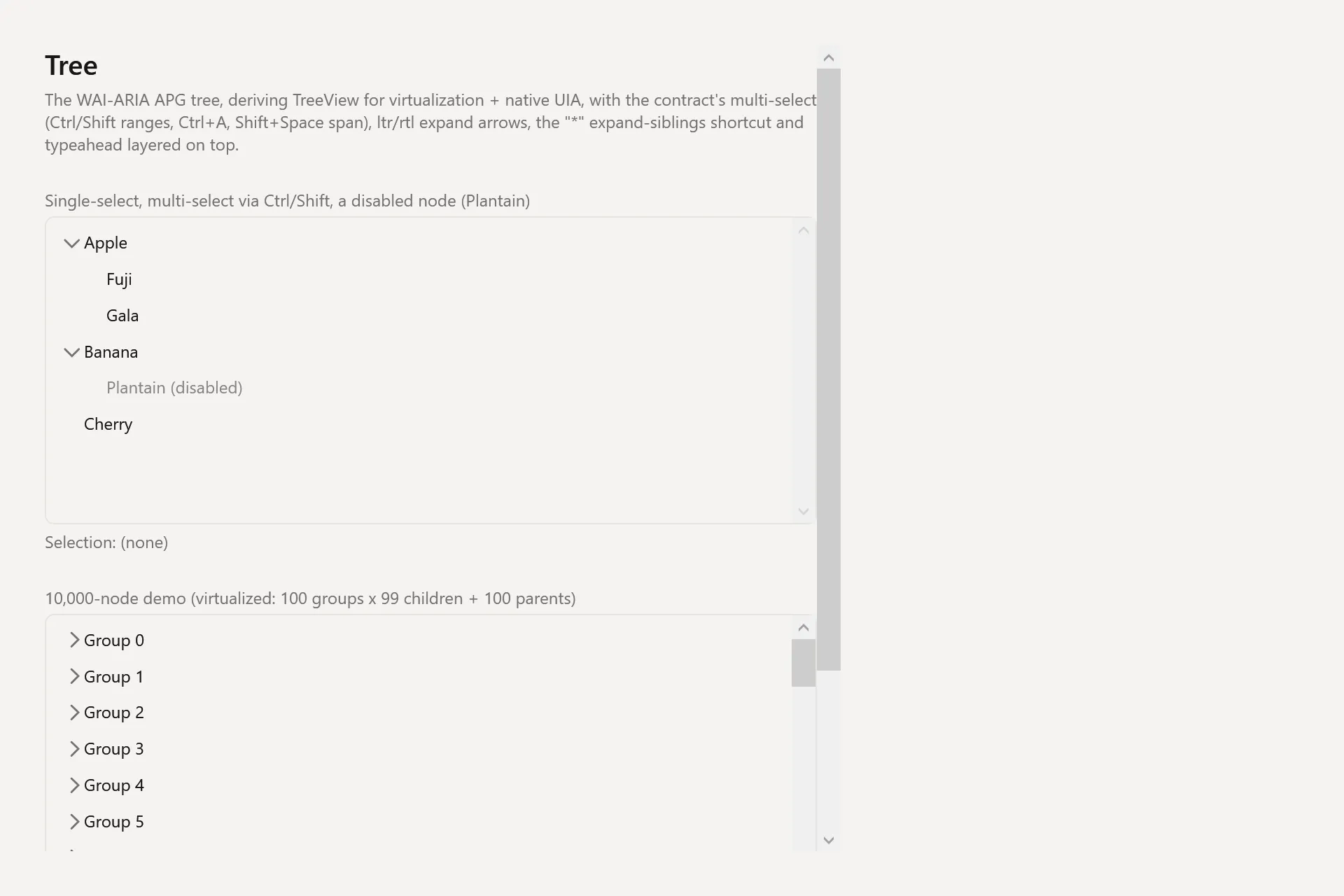
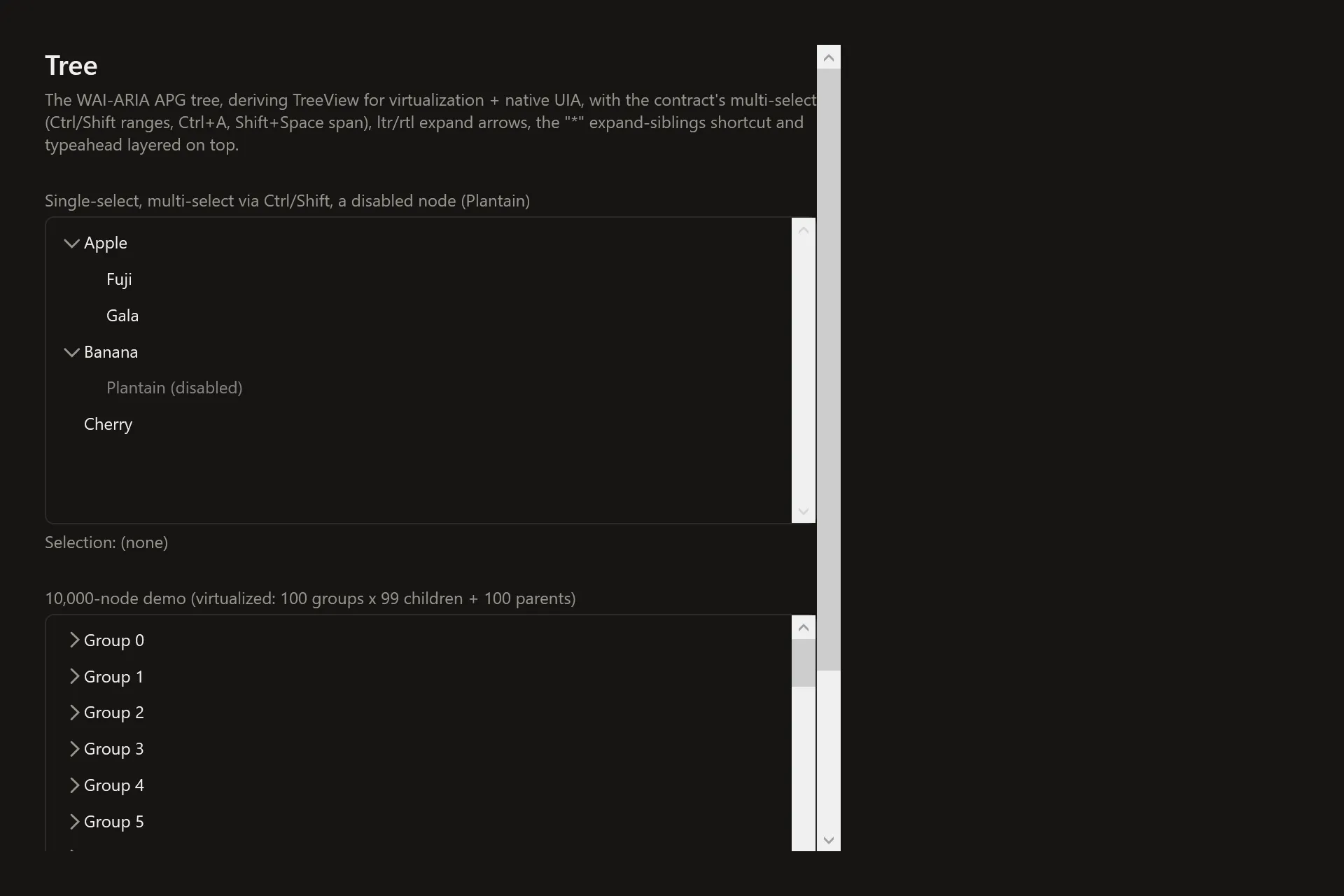
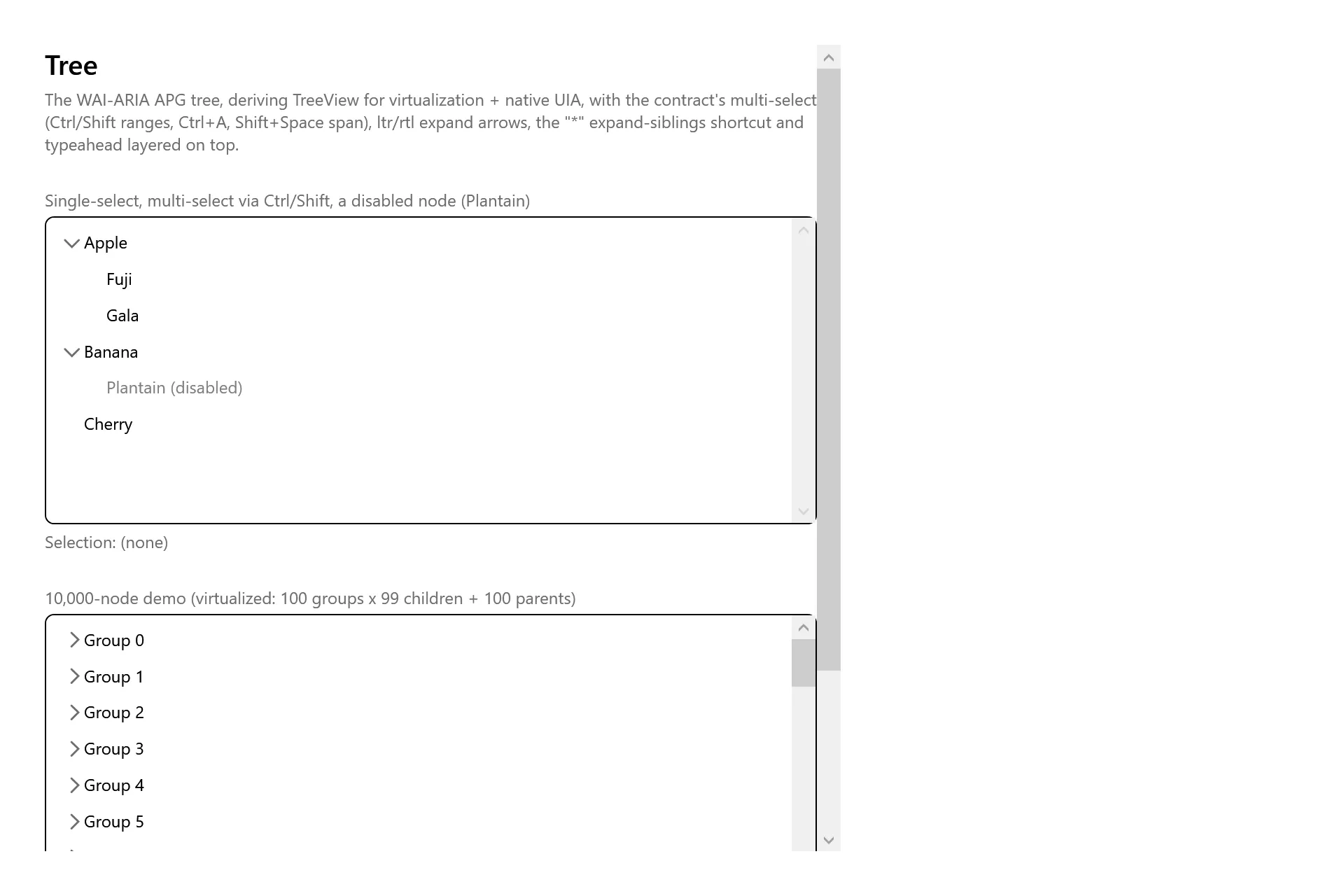
Section titled “Captures”The Tree Gallery page rendered at the pinned commit, in each theme.